

Depositing and withdrawing money on 666H Game is designed to be simple, fast, and completely safe for Pakistani users. The app fully supports popular local payment methods such as EasyPaisa, JazzCash, and direct bank transfers. Whether you are a new player or an experienced user, the process remains smooth and user-friendly. Below you will find a complete step-by-step guide with extra tips for better experience.
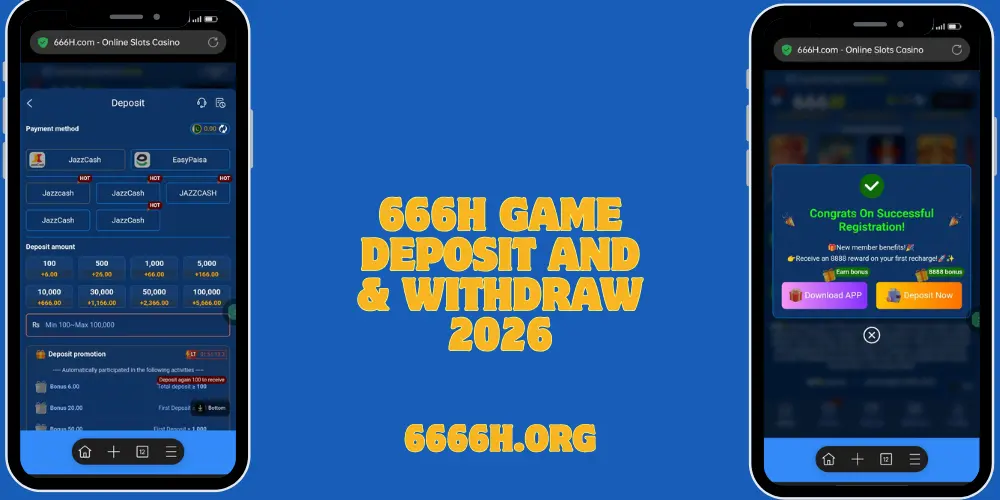
How to Deposit Money on 666H Game
First, open the 666H app on your phone and log in to your account using your registered mobile number and password. Once you are inside the app, look for the Wallet or Deposit button on the home screen or bottom menu. Tap on it to open the deposit page.
Next, choose your preferred payment method. Most users select EasyPaisa or JazzCash because these options are the fastest. Enter the amount you want to deposit. Remember that the minimum deposit is usually low so beginners can start easily. After entering the amount, confirm the details. The app will show you a unique payment code, account number, or QR code.
Now open your EasyPaisa or JazzCash app separately. Use the details given by 6666H and send the exact amount. Make sure the amount matches exactly, otherwise the deposit may not appear. After successful payment, return to the 666H app. In most cases, your balance updates within 1 to 5 minutes.
Do not forget to check for any available deposit bonus. New users often get a special first deposit bonus, and regular users can enjoy recharge discounts or extra rewards. If the balance does not appear after 10 minutes, take a screenshot of the payment and contact live support. They usually resolve the issue quickly.
How to Withdraw Money from 666H Game
Withdrawing your winnings is just as easy. Open the 666H app and go to the Wallet section. Tap on the Withdraw button. Select the same payment method you used for deposit or the one linked to your account (EasyPaisa, JazzCash, or bank account).
Enter your correct wallet number or bank account details carefully. Even a small mistake can delay the process. Type the amount you wish to withdraw. Check the minimum withdrawal limit shown on the screen. After confirming everything, submit the request.
Most withdrawals are processed within 5 to 30 minutes. You will receive a notification inside the app and usually an SMS when the money reaches your account. First-time withdrawals may require simple verification such as confirming your mobile number or uploading a quick document. This is only for security.
Always keep your registered mobile number active because OTP is often needed. If your withdrawal is delayed beyond 30 minutes, contact live support with your transaction ID. The team is available 24/7 and responds in Urdu and English.
Extra Tips for Smooth Transactions
- Always double-check payment details before confirming.
- Avoid depositing or withdrawing during very late night hours if possible.
- Keep screenshots of every successful transaction.
- Never share your OTP or password with anyone.
- Use the official live chat for any problem instead of third-party agents.